Loading…
Help Centre
How can we help you?
Everything you need to get the most out of SmartKwam — from adding your first device to advanced automations.
Start here · First-time setup
Welcome home.
Let's pair your first device.
You've got the gadget, you've got the app — now let's bring them together. Four small steps and you're running your home from your pocket. No tech degree required, promise.
01
Power it up
Plug your device in and switch it on. Watch for a light blinking quickly — that's pairing mode, and it means your device is ready to be found.
02
Open the app, tap the +
Open SmartKwam, sign in, and tap the + in the top-right of the home screen. Choose “Add Device” to start looking.
03
Pick your device
Let the app find it on its own, or tap the matching device type from the list. No guessing — the icons match what's on the box.
04
Add your Wi-Fi & connect
Choose your 2.4 GHz Wi-Fi, type in the password, and tap confirm. Give it a few seconds to link up — then name it, pop it in a room, and you're home.
Three things that make it just work

2.4 GHz, not 5 GHz
Most smart devices only talk on 2.4 GHz Wi-Fi. On the Wi-Fi step, pick your 2.4 GHz network — not the 5 GHz one.

Keep them close
While you pair, keep your phone, your router and the device in the same room. You can move it wherever you like afterwards.
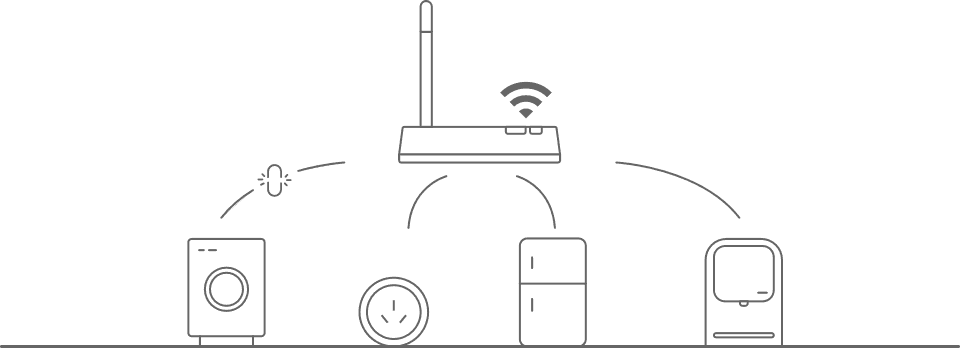
Mind the router
Routers can only hold so many gadgets at once. If a device won't pair, switch an old one off to free up a slot, then try again.
Light not blinking? Reset and retry.
Hold the device's reset button for about 5 seconds until it flashes quickly, then start again from step one. Still stuck? The full FAQ is just below.
Getting Started
5 articles
Pro tips
Use Scenes for routines
Create a 'Good Night' scene that locks the doors, turns off lights, and switches on the alarm in one tap.
Keep the app updated
Updates often include new device support and stability fixes. Enable auto-updates in the App Store, Google Play, or Huawei AppGallery for the best experience.
Schedule your geyser
Scheduling your geyser to heat water only during off-peak hours can cut your electricity bill by up to 40%.
Fine-tune notifications
Set per-device alert preferences and a Do Not Disturb window so you only hear about what matters, when it matters.
Enable the app lock PIN
Add an extra layer of protection by requiring a PIN or biometric to open SmartKwam on your phone.
Use camera detection zones
Reduce false motion alerts from cameras by drawing custom detection zones that exclude the road or trees.
Still need help?
Can't find what you're looking for? Our support team is based in South Africa and ready to assist.
Contact Supportsupport@smartkwam.co.za · Typical response within 24 hours